> For the complete documentation index, see [llms.txt](https://docs.dreamos.app/llms.txt). Markdown versions of documentation pages are available by appending `.md` to page URLs; this page is available as [Markdown](https://docs.dreamos.app/expiration-and-settlement.md).
# Expiration and Settlement
Every options contract on Dream has a designated expiration date.
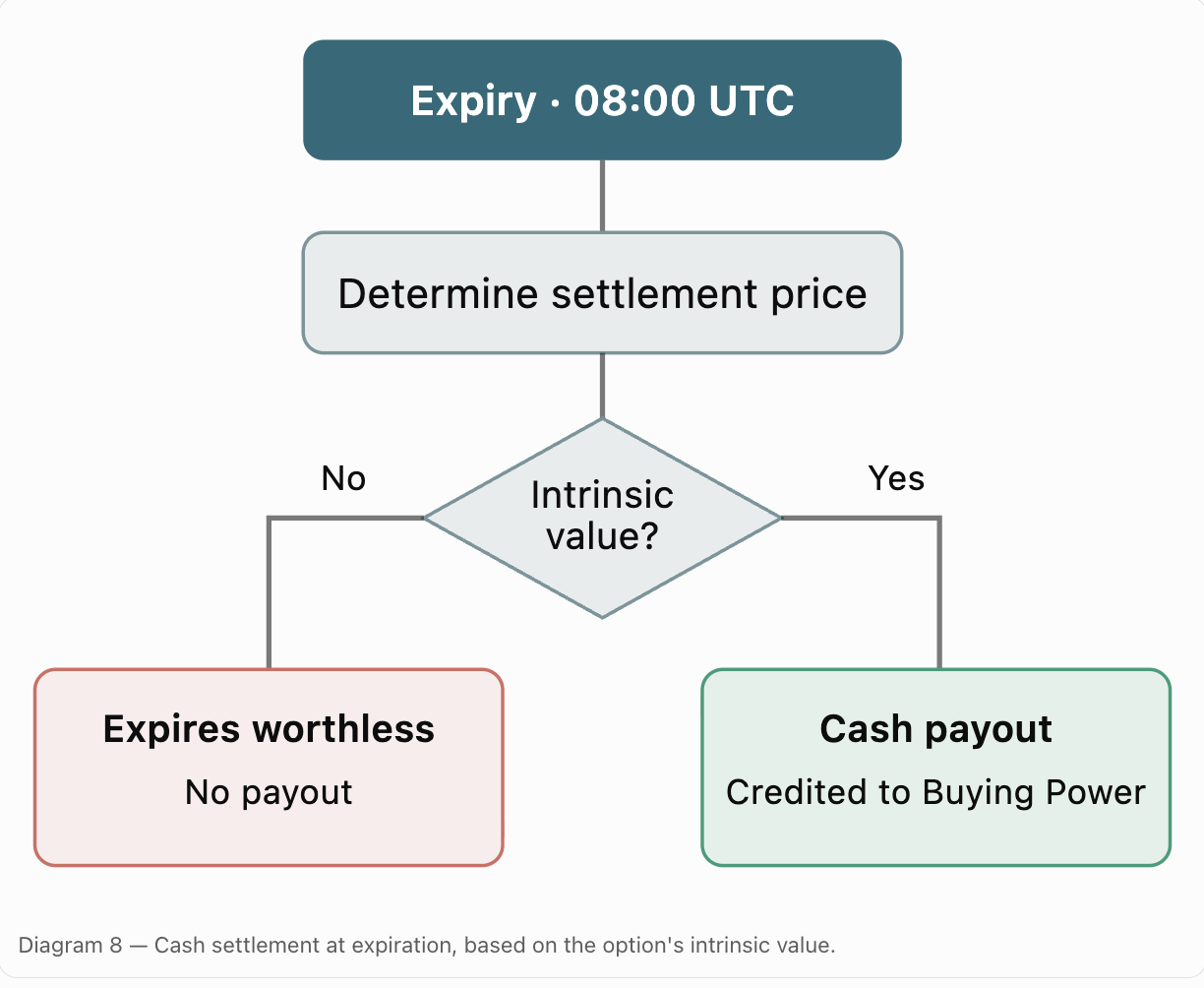
At expiration, the contract is automatically cash-settled based on the underlying asset's spot price.
### Settlement Time
Dream options expire and settle at 08:00 UTC on their designated expiration date.
The spot price of the underlying asset is used to determine whether the option expires in the money or out of the money.
### In-the-Money Options
An option is in the money when it has intrinsic value at expiration.
For a call, this occurs when the spot price is above the strike price.
For a put, this occurs when the spot price is below the strike price.
In-the-money options receive a cash-settlement payout based on the difference between the spot price and strike, multiplied by the underlying quantity represented by the position.
### Out-of-the-Money Options
An option is out of the money when it has no intrinsic value at expiration.
Out-of-the-money options expire worthless, with no settlement payout.
### Call Settlement Example
You hold a BTC call option with:
* Strike price: $100,000
* Spot price: $110,000
* Position size: 1 BTC
The option has $10,000 of intrinsic value at expiration.
The cash-settlement payout is $10,000.
### Put Settlement Example
You hold a BTC put option with:
* Strike price: $100,000
* Spot price: $90,000
* Position size: 1 BTC
The option has $10,000 of intrinsic value at expiration.
The cash-settlement payout is $10,000.
### Where Settlement Proceeds Go
Any cash-settlement payout is credited to your Buying Power.
You can use available Buying Power to open new options positions or transfer it back to Cash for withdrawal.
### Closing Before Expiration
You do not need to hold an option until expiration.
You can request to close your position earlier, provided an executable quote is available for your contract and size.
---
# Agent Instructions
This documentation is published with GitBook. GitBook is the documentation platform designed so that both humans and AI agents can read, navigate, and reason over technical content effectively. Learn more at gitbook.com.
## Querying This Documentation
If you need additional information that is not directly available in this page, you can query the documentation by asking a question.
Perform an HTTP GET request on the following URL with the `ask` and `goal` query parameters:
```
GET https://docs.dreamos.app/expiration-and-settlement.md?ask=&goal=
```
`ask` is the immediate question: it should be specific, self-contained, and written in natural language.
`goal` is what the user is ultimately trying to achieve, the reason they need the answer. Sharing it helps GitBook give you a better, more relevant answer. A goal is most helpful when it describes the outcome the user wants rather than restating the question. For example, with `ask=how do I create an API token`, a goal like `automate deployments from our CI pipeline` lets GitBook tailor the answer to that use case.
The response will contain a direct answer to the question and relevant excerpts and sources from the documentation.
Use this mechanism when the answer is not explicitly present in the current page, you need clarification or additional context, or you want to retrieve related documentation sections.