> For the complete documentation index, see [llms.txt](https://docs.dreamos.app/llms.txt). Markdown versions of documentation pages are available by appending `.md` to page URLs; this page is available as [Markdown](https://docs.dreamos.app/pricing-and-spreads.md).
# Pricing and Spreads
Every option on Dream has a bid and ask price. Understanding the difference between these prices is important when opening, managing, and closing positions.
### Bid and Ask
**Bid:** The price a buyer is willing to pay for an option.
**Ask:** The price a seller is willing to accept for an option.
When opening a long options position, you typically buy at the ask.
When closing that position, you typically sell at the bid.
### What Is a Spread?
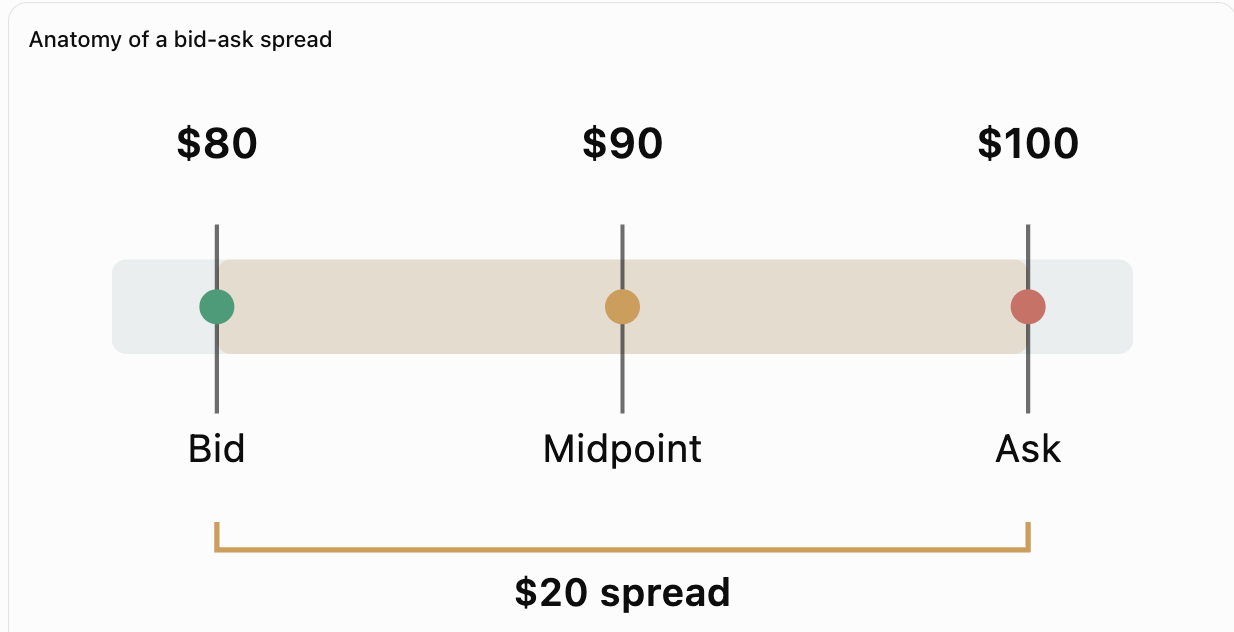
The spread is the difference between the bid and ask prices.
For example:
|
| Price |
| ----------- | ----- |
| Bid | $80 |
| Ask | $100 |
| Spread | $20 |
| Midpoint | $90 |
In this example, purchasing the option costs $100, while the current bid is $80.
If you immediately sell at that bid, you receive $80 before accounting for applicable fees.
This difference exists because buying and selling occur at different prices.\
\
Suppose the bid is $80 and the ask is $100. You buy at the ask for $100 making your total cost basis $100. If you immediately close the entire position at the $80 bid, you receive $80. Your realized P\&L is ($80 − $100) / $100 = −20%. The underlying asset does not need to move for this difference to exist.
### Why Spreads Vary
Spreads can vary depending on several factors:
* The underlying asset
* Strike price
* Time remaining until expiration
* Market volatility
* Position size
* Available liquidity and the risk assumed by liquidity providers
Contracts with less trading activity or greater pricing uncertainty may have wider spreads.
### How Spreads Affect Your Position
The spread can affect the amount you receive when closing a position, even if the underlying asset's price has not changed.
A wider spread means a larger difference between the price to open a position and the price available to close it.
Dream displays bid and ask pricing so users can review the spread before opening a trade.
When closing a position, the available executable quote determines the amount you can receive.
### Spreads vs. Trading Fees
The spread is not a fee charged by Dream.
It represents the difference between the buying and selling prices offered by liquidity providers.
Dream separately charges a 2% fee on the premium paid to open a position.
Understanding both the spread and the opening fee is important when evaluating the total cost of a trade.
---
# Agent Instructions
This documentation is published with GitBook. GitBook is the documentation platform designed so that both humans and AI agents can read, navigate, and reason over technical content effectively. Learn more at gitbook.com.
## Querying This Documentation
If you need additional information that is not directly available in this page, you can query the documentation by asking a question.
Perform an HTTP GET request on the following URL with the `ask` and `goal` query parameters:
```
GET https://docs.dreamos.app/pricing-and-spreads.md?ask=&goal=
```
`ask` is the immediate question: it should be specific, self-contained, and written in natural language.
`goal` is what the user is ultimately trying to achieve, the reason they need the answer. Sharing it helps GitBook give you a better, more relevant answer. A goal is most helpful when it describes the outcome the user wants rather than restating the question. For example, with `ask=how do I create an API token`, a goal like `automate deployments from our CI pipeline` lets GitBook tailor the answer to that use case.
The response will contain a direct answer to the question and relevant excerpts and sources from the documentation.
Use this mechanism when the answer is not explicitly present in the current page, you need clarification or additional context, or you want to retrieve related documentation sections.