> For the complete documentation index, see [llms.txt](https://docs.dreamos.app/llms.txt). Markdown versions of documentation pages are available by appending `.md` to page URLs; this page is available as [Markdown](https://docs.dreamos.app/profit-and-loss.md).
# Profit & Loss
Dream displays unrealized profit and loss (P\&L) to help you track the performance of your open options positions.
Displayed P\&L is calculated using a combination of the current bid and midpoint price.
### How Unrealized P\&L Is Calculated
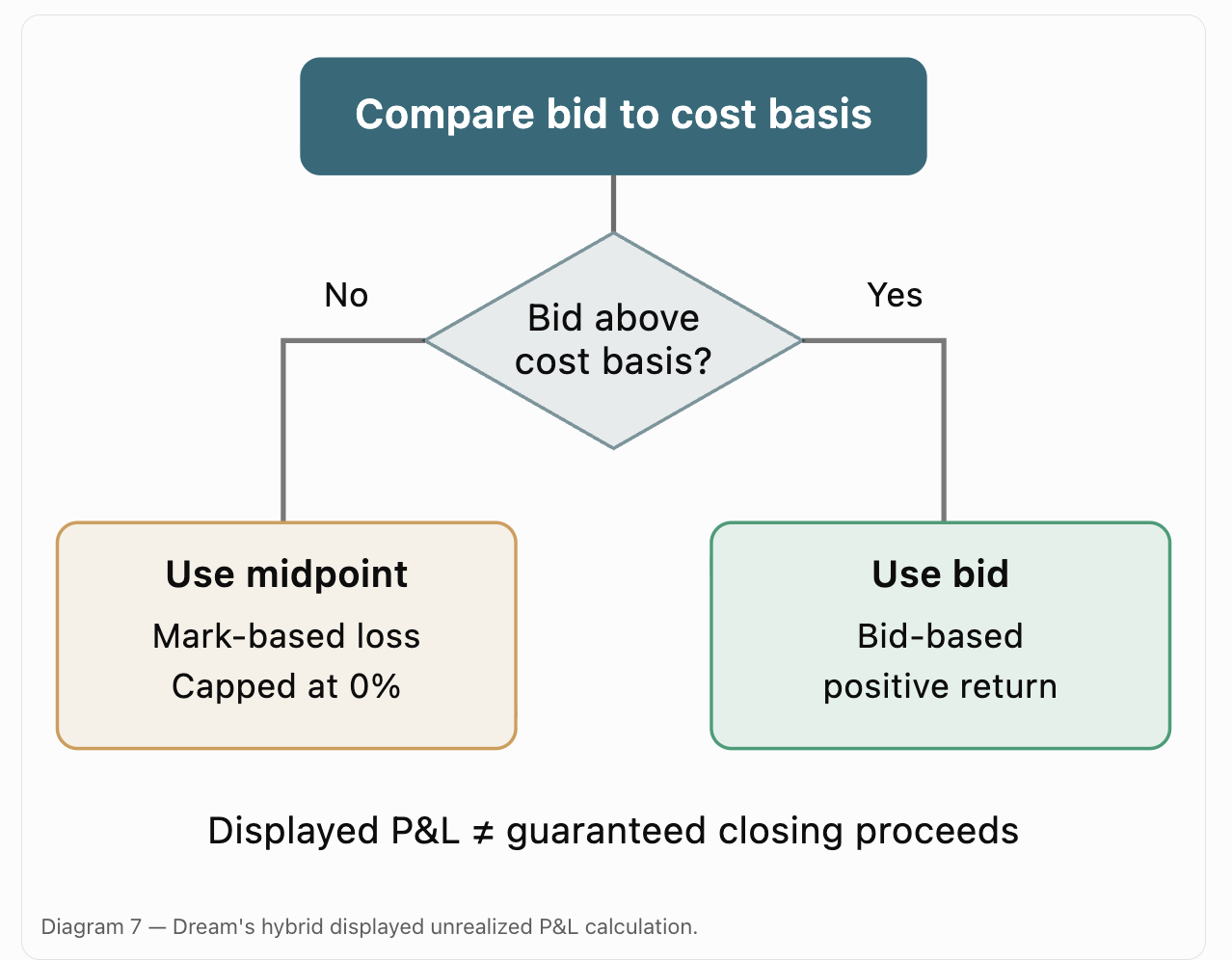
Dream uses a hybrid calculation depending on whether the current bid is above or below your cost basis.
#### When the Bid Is Above Cost Basis
P\&L = (Bid − Cost Basis) / Cost Basis
#### When the Bid Is at or Below Cost Basis
P\&L = min((Mark − Cost Basis) / Cost Basis, 0%)
Where:
Mark = (Bid + Ask) / 2\
\
When the bid is above cost basis, Dream calculates the displayed unrealized profit using the bid. When the bid is at or below cost basis, Dream calculates displayed P\&L using the midpoint, capped at 0%. As a result, a red P\&L figure may differ from the proceeds available if you close immediately. The close confirmation screen shows the current executable price and proceeds. Displayed P\&L is not a guarantee of execution or proceeds.
### When Your Position Is Profitable
When the bid exceeds your cost basis, Dream calculates your displayed profit using the bid.
This reflects the selling side of the market rather than the midpoint.
#### Example
|
| Value |
| -------------- | ----- |
| Cost basis | $100 |
| Current bid | $120 |
| Displayed P\&L | +20% |
This calculation is intended to avoid overstating profits based on a midpoint price that may not be executable.
### When Your Position Is Losing
When the bid is at or below your cost basis, Dream calculates your displayed loss using the midpoint, capped at 0%.
This reduces the impact of unusually wide spreads on displayed losses.
#### Example 1
|
| Value |
| -------------- | ----- |
| Cost basis | $100 |
| Bid | $90 |
| Ask | $130 |
| Midpoint | $110 |
| Displayed P\&L | 0% |
In the second example, the midpoint suggests a profit, but the bid remains below cost basis. Dream therefore caps the displayed return at 0%.
### Displayed P\&L vs. Closing Value
When your position is showing a loss, the displayed P\&L may not represent the amount you would receive by immediately closing the trade.
Because Dream uses the midpoint to calculate displayed losses, the actual closing value may be lower.
When requesting to close a position, Dream displays the available execution price and proceeds.\
\
Profitable position (bid > cost basis): displayed P\&L uses the bid.
Losing position (bid ≤ cost basis): displayed P\&L uses the midpoint, capped at 0%.
Your realized P\&L is determined by the actual closing execution or the settlement value at expiration.
### Why Dream Uses This Method
Using the bid for every position can cause options with wide spreads to display unusually large losses immediately after opening.
Using the midpoint for every position can overstate profits that cannot actually be realized.
Dream's hybrid approach is designed to balance these two outcomes.
Displayed unrealized P\&L remains an estimate and should not be interpreted as a guaranteed closing value.
---
# Agent Instructions
This documentation is published with GitBook. GitBook is the documentation platform designed so that both humans and AI agents can read, navigate, and reason over technical content effectively. Learn more at gitbook.com.
## Querying This Documentation
If you need additional information that is not directly available in this page, you can query the documentation by asking a question.
Perform an HTTP GET request on the following URL with the `ask` and `goal` query parameters:
```
GET https://docs.dreamos.app/profit-and-loss.md?ask=&goal=
```
`ask` is the immediate question: it should be specific, self-contained, and written in natural language.
`goal` is what the user is ultimately trying to achieve, the reason they need the answer. Sharing it helps GitBook give you a better, more relevant answer. A goal is most helpful when it describes the outcome the user wants rather than restating the question. For example, with `ask=how do I create an API token`, a goal like `automate deployments from our CI pipeline` lets GitBook tailor the answer to that use case.
The response will contain a direct answer to the question and relevant excerpts and sources from the documentation.
Use this mechanism when the answer is not explicitly present in the current page, you need clarification or additional context, or you want to retrieve related documentation sections.